
Pharmacy management
Pharmix / Pharmacy management
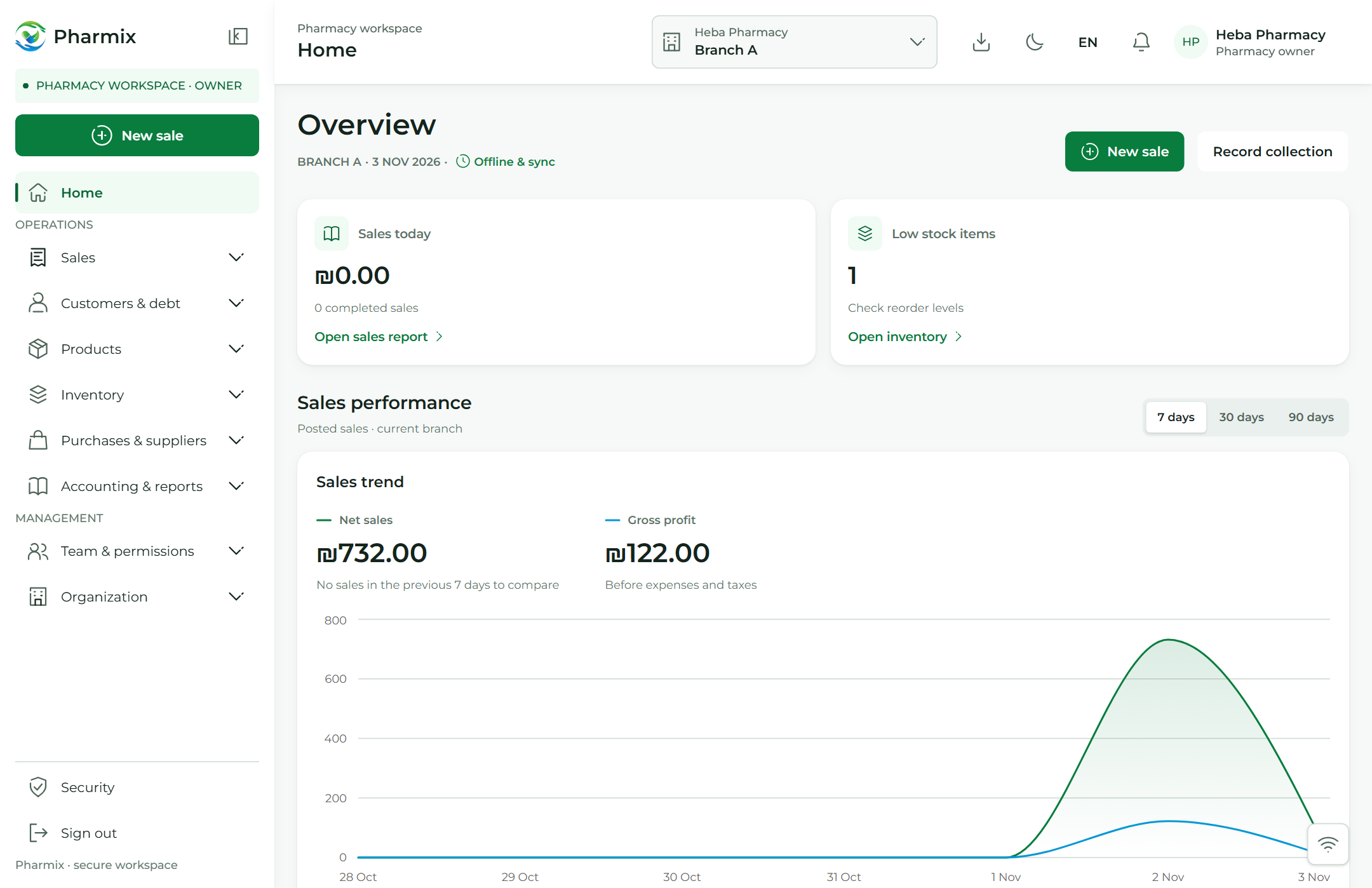
Your pharmacy.In full view.
Sales, stock and people in one clear workspace.
Sales, stock, people and accounts. One clear workspace for the everyday life of your pharmacy.
Expiry alerts
Track batches approaching expiry
Every action is recorded
Trace staff actions and permissions
From sale to activity
See Pharmix in action
Three connected steps.
One sale. A clearer picture.
An illustrative journey from a posted sale to updated stock and a traceable action.
01
Sale recorded
Receipt #1042
Example item × 2
Posted sale · online example
02
Stock movement
20 → 18
Stock reduced by two units
Linked to receipt #1042
03
Activity record
Action recorded
Staff member · time · reference
Trace the operation back to its source
Your pharmacy toolkit
Our services
Everything in one place.
Everything your pharmacy needs.
Sales, inventory, staff permissions and branches.
01
Sales & POS
Sales, invoices and returns.
02
Inventory
Batches and expiry tracking.
03
Staff & access
Roles and traceable actions.
Find your plan
Plans at a glance.
Choose a plan that fits.
Start with a free month, then pick the branches and billing period that suit your pharmacy.
Free trial
Try Pharmix in your pharmacy for a month, free.
Freefor 1 month
Start free trialFeatures
- 2 branches
- 2 users
- Cash, credit and transfer sales
- Inventory, purchasing and catalog
- Customers, accounting and reports
Save 16%
Gold
A full year of Pharmix at the best price.
₪999/ year
Subscribe nowFeatures
- 1 branch
- 2 users
- Cash, credit and transfer sales
- Inventory, purchasing and catalog
- Customers, accounting and reports
3 months
Flexible billing every three months.
₪299/ 3 months
Subscribe nowFeatures
- 1 branch
- 2 users
- Cash, credit and transfer sales
- Inventory, purchasing and catalog
- Customers, accounting and reports
Free trial
Try Pharmix in your pharmacy for a month, free.
Freefor 1 month
Start free trialFeatures
- 2 branches
- 2 users
- Cash, credit and transfer sales
- Inventory, purchasing and catalog
- Customers, accounting and reports
Save 18%
Gold
A full year of Pharmix at the best price.
₪1,800/ year
Subscribe nowFeatures
- 2 branches
- 4 users
- Cash, credit and transfer sales
- Inventory, purchasing and catalog
- Customers, accounting and reports
3 months
Flexible billing every three months.
₪550/ 3 months
Subscribe nowFeatures
- 2 branches
- 4 users
- Cash, credit and transfer sales
- Inventory, purchasing and catalog
- Customers, accounting and reports
More than two branches?
We put together a plan around your branches and users.
Before you start
Practical questions. Clear answers.
Can I import my existing inventory?
You can enter existing stock as opening balances, specifying the product, pack unit, quantity, unit cost and expiry date for your branch.
Which devices can I use?
Pharmix runs in a web browser on computers, tablets and phones. You can install it as a web app where your browser supports installation. Barcode scanning uses the device camera with your permission, and invoices are printed through the browser. Camera, installation and printer support depend on your device and browser.
What can I do without an internet connection?
Prepare the data you need while online and keep a valid session in the same browser and branch. During an outage, you can save cash, credit and transfer sales, returns for previously posted sales, cash collections from customers, purchase receipts and customer edits locally. When the connection returns, operations sync in order and the system checks permissions and applicable prices, stock and customer details. Saving locally does not reserve stock, and some operations may need review. Transfer confirmations and cancellations, transfer collections and administrative settings still require a connection.
What happens to saved offline data?
Keep the same device and browser, and do not clear the site’s data. Saved product data can be used for up to 24 hours while your session remains valid. Pending operations are not automatically deleted after that time; operations awaiting sync for 30 days or more need manual review before resending. If you sign out, return with the same account and branch to sync. You can also download a recovery copy from Offline & sync.
Is technical support and ongoing follow-up available?
Yes. The Pharmix team provides technical support and regular follow-ups to help you and your staff use the system, answer your questions and resolve difficulties during day-to-day work.
Are prices and plan limits final?
Before subscribing, you can review each plan’s price, billing schedule, features, included branches and users, and any available trial. Later plan updates do not automatically change your subscription terms. You can view your plan details and usage on the Subscription page, or contact the Pharmix team about plans marked for enquiry.
A clear start
Know what is ready. Know what is next.
Pharmix is live. Explore the features and trial details before subscribing.
Access & accountability
The product designs include role-based permissions and a record of who performed an action.
Getting started
Share your pharmacy’s needs. Setup, training and support details are still to be confirmed.
Data & backups
Privacy, hosting, retention and backup details need verified policies before launch.
Get started
Get started with Pharmix.
Get started with Pharmix.
Pharmix is live. Tell us about your pharmacy to discuss the right plan and setup.
Bring sales, stock and staff together with Pharmix. Tell us about your pharmacy to discuss the right plan and setup.
- 01Sales & POS
- 02Inventory tracking
- 03Staff permissions