
Pharmix services
Our services
Tools for a busy day.
Explore the Pharmix toolkit.
A clear look at the current product design.
A closer look at sales, inventory, staff management, branches and offline continuity.
01
Sales & POS
Sales & POS
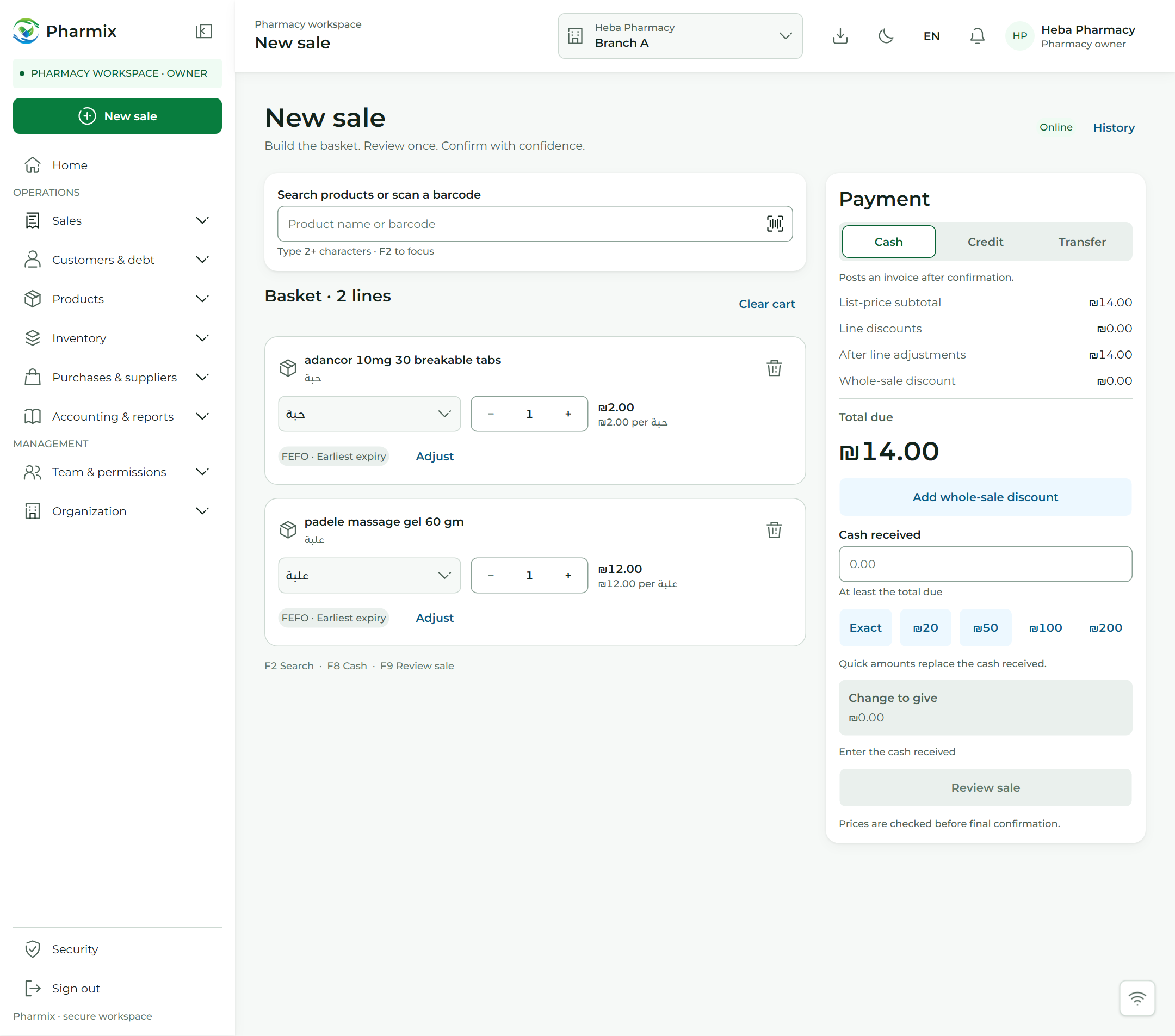
A faster counter. A clearer sale.
Record sales, review invoices and follow returns in one workspace.
Complete sales, create invoices, and handle returns from one purpose-built pharmacy workspace.
Sale recorded
Receipt #1042
Example item × 2
Posted sale · online example
Pharmix / POS
02
Inventory intelligence
Inventory & expiry
Stay ahead of every expiry.
Know what's in stock.
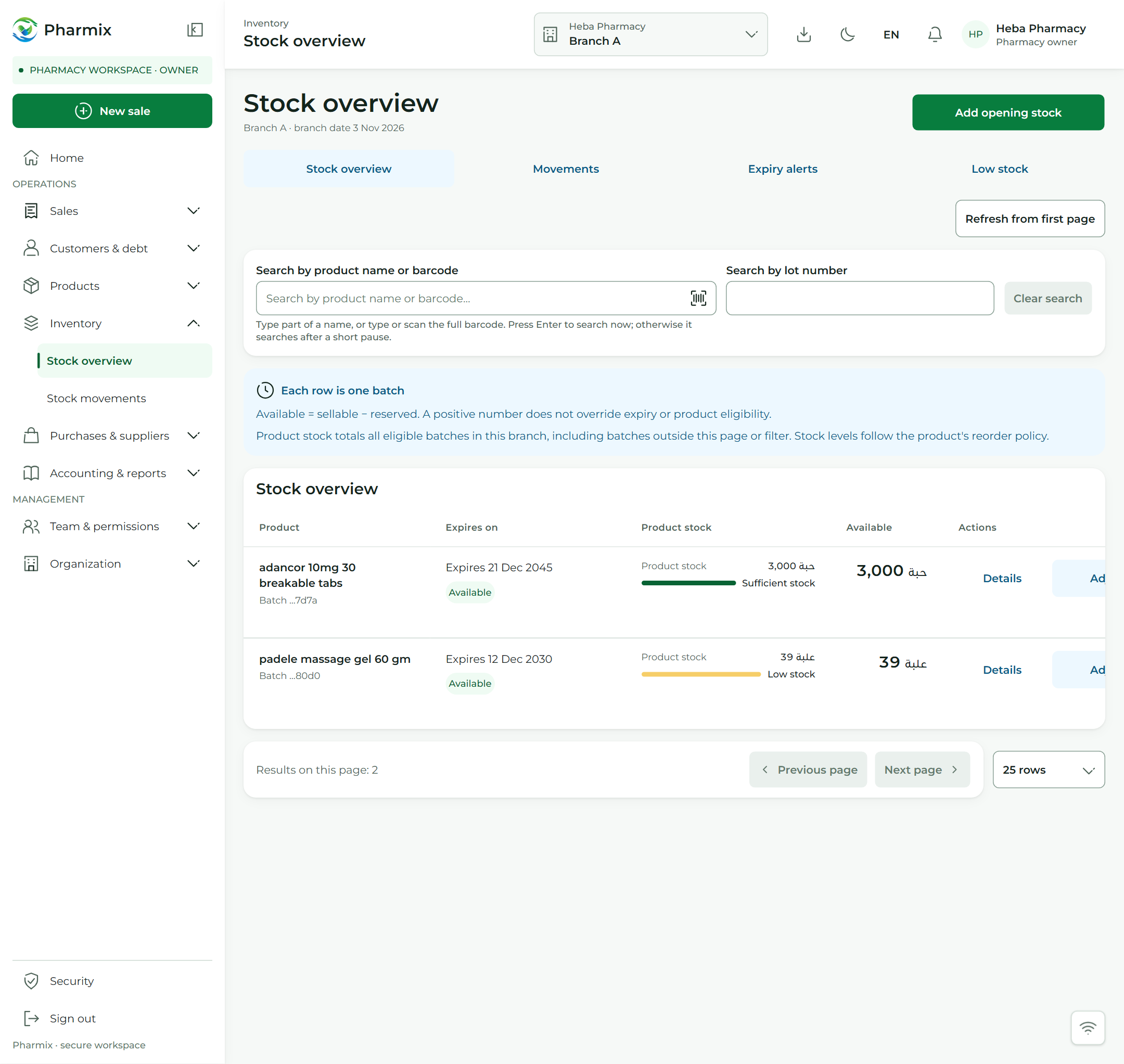
Track quantities, batches and stock approaching its expiry date.
Track medicine batches, review expiry dates, and spot stock that needs attention — directly in Pharmix.
Batch-level visibility
Trace quantities and expiry by batch.
Expiry awareness
Review medicines approaching expiry.
Connected operations
Keep inventory connected to daily work.
Stock movement
20 → 18
Stock reduced by two units
Linked to receipt #1042
Pharmix / Inventory
03
People & accountability
Staff & activity
Your team. Your rules.
Assign access by role and trace an action back to its reference and time.
Define responsibilities, give every employee the right access, and keep critical operations traceable.
01Invite
Bring staff into your workspace.
02Permissions
Assign access according to role.
03Audit
See who performed each action.
Activity record
Action recorded
Staff member · time · reference
Trace the operation back to its source
Pharmix / Control
Every action has an owner.
Role-based access
Staff invitations · Role permissions
Audit trail · Actor and timestamp
04
Built for interruptions
Offline cash sales
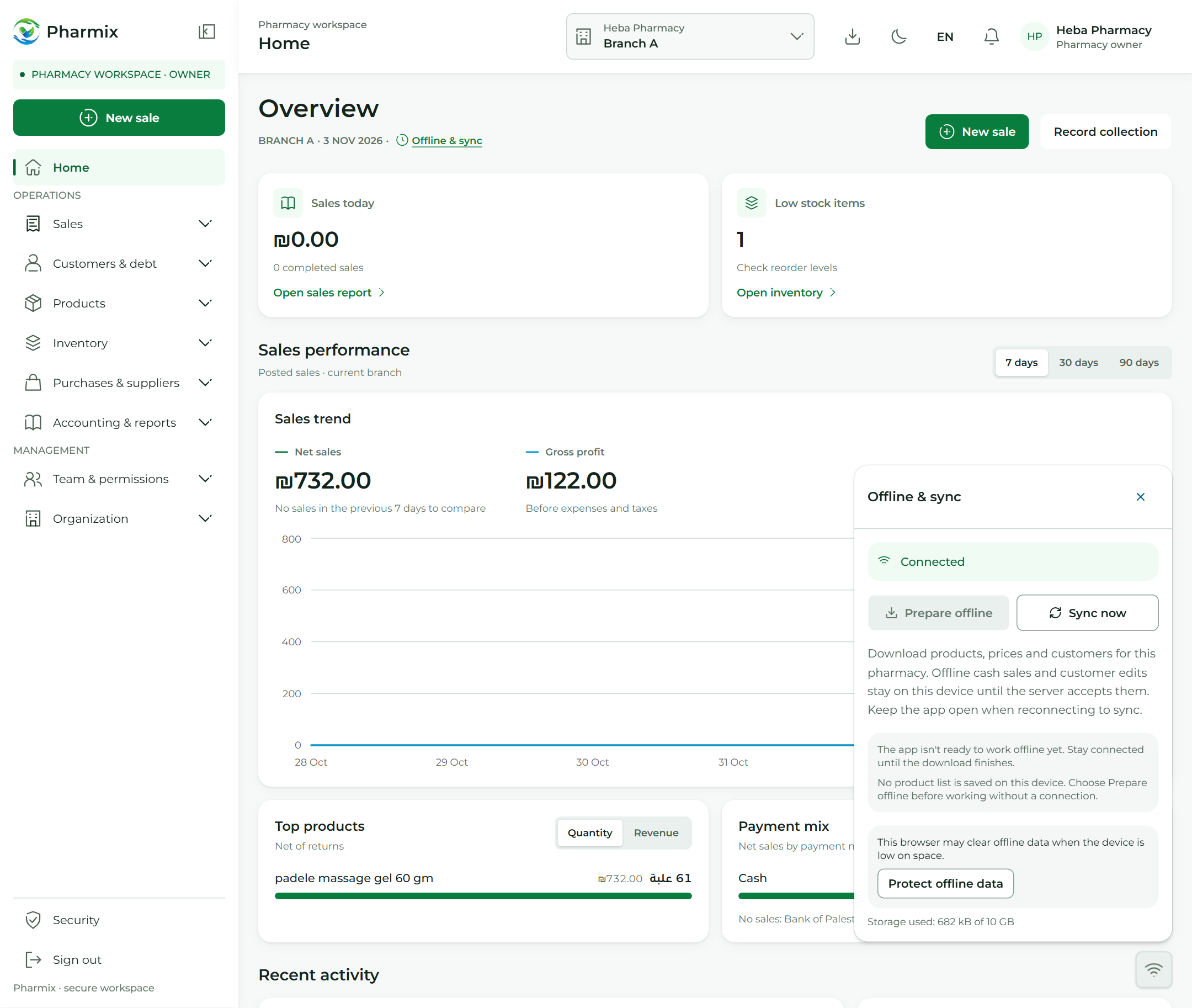
A connection drops. Your counter keeps moving.
Eligible cash sales are saved in the prepared browser. Credit and transfer checkout require a connection.
Eligible cash sales are saved in the prepared browser and checked during sync after reconnecting.
Saved locally is not a posted invoice.
Sync performs live checks after reconnection. Keep the same browser’s site data; clearing it can remove unsynced sales.
Pharmix / Offline & sync
05
Multi-branch
Branches
One system. Room to grow.
Manage branches, stock visibility and staff access. Plans cover 1 or 2 branches.
Organize branches, stock visibility and staff access in one operating environment.
01
Branches
A clear operational view by location
02
Staff roles
Access tailored to each role
03
Inventory
Stock visibility by branch
New features every day
Discover more with Pharmix.
These are just some of the tools in Pharmix. Create your account to explore more features and follow daily updates that bring new tools to your pharmacy.